A banner that matches the site
Configure layout, copy, colors, categories, localization, badge, and preferences without maintaining a custom CMP.
- Banner and modal layouts
- Custom categories and localization
- Public consent JavaScript API
CMPly combines a customizable consent banner with hybrid website scanning, before-and-after consent evidence, and clear records in one dashboard.

Combine fast HTTP crawling with focused browser checks and static-script discovery.
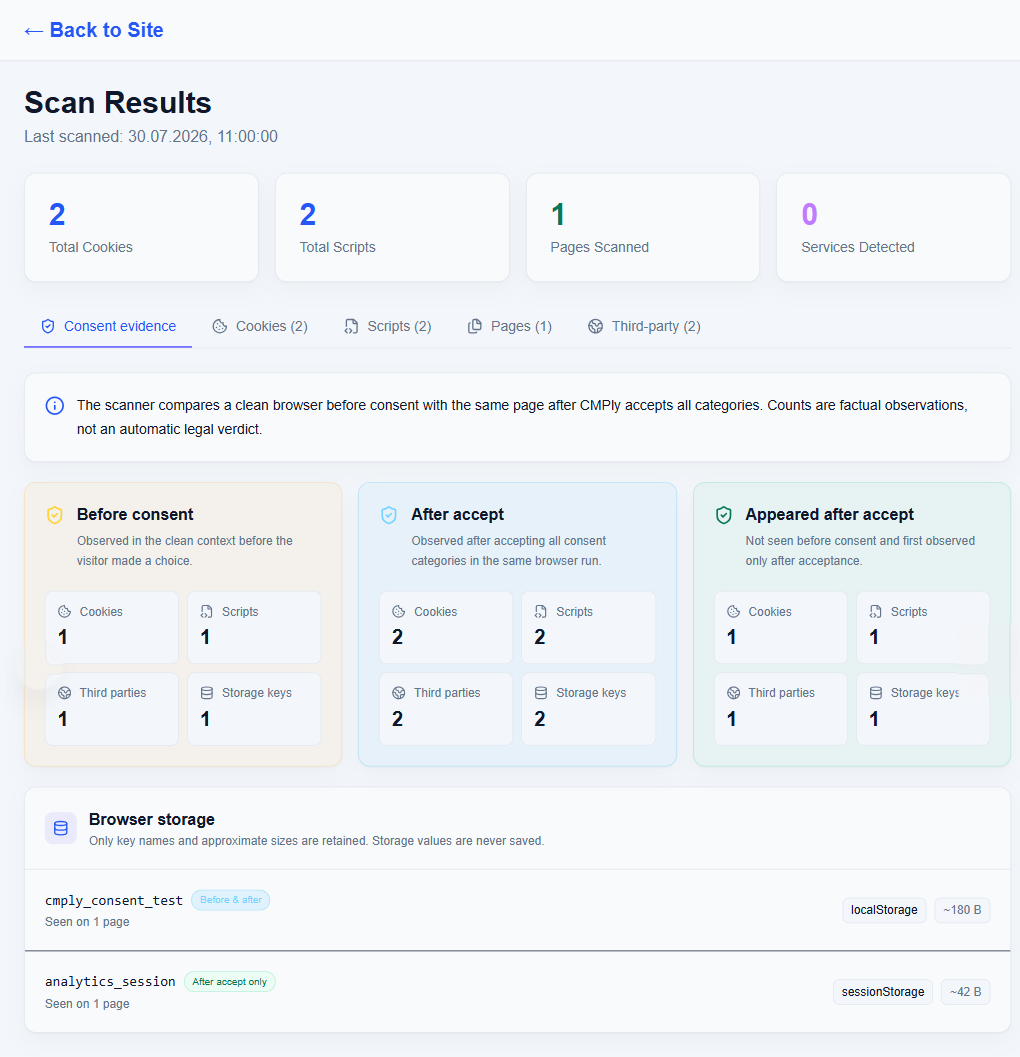
Compare what appears before consent with what loads after all categories are accepted.
Connect the banner, blocking rules, Google Consent Mode v2, and consent records.
Connect the published plugin or install the same browser SDK on any website.
Fast HTTP crawling covers the site. A small Chromium budget checks representative pages and compares the main page before consent with the same page after CMPly accepts all categories.

No separate scanner integration and no second consent SDK.
Install one early-loading script, use GTM, or connect the official WordPress plugin.
CMPly crawls pages and checks a small browser sample before and after consent.
Confirm classifications, tune the banner, and keep consent evidence together.
Each capability feeds the same site configuration instead of creating another compliance project to maintain.
Configure layout, copy, colors, categories, localization, badge, and preferences without maintaining a custom CMP.
The scanner merges HTTP and browser observations so static scripts, network domains, cookies, and storage keys live in one result.
Review consent records and phase-aware findings without presenting an automated scan as a legal certification.
Run a scan-assisted transparency review, edit the result, and publish a dedicated AI Transparency link in the widget.
Connect an existing CMPly site and use the same SDK, scanner, banner settings, and Google Consent Mode v2 configuration without duplicating setup in WordPress.
Basic and Advanced modes, regional defaults, consent-change events, and provider-aware blocking are supported by the browser SDK.
Configure a siteCreate an account, connect your website, and review the first scan before publishing.